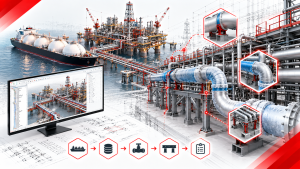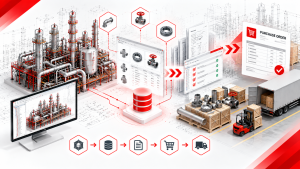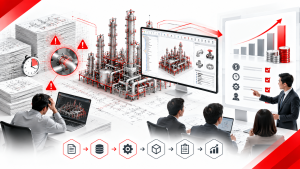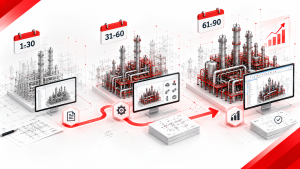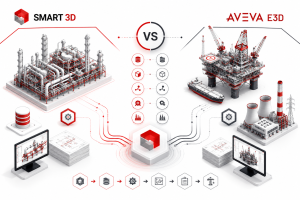


AVEVA officially discontinued support for PDMS on April 1, 2024. If your organization still has active projects, archived models, or legacy plant data on PDMS, the migration decision is no longer optional — it’s a question of when and to where. Most PDMS users default to AVEVA E3D as the “natural” successor. But for EPC firms whose client base, project pipeline, or long-term strategy points toward Octave Forte 3D (formerly Hexagon Smart 3D), migrating directly to Forte 3D is a legitimate — and sometimes better — path.
This guide walks through what PDMS-to-Forte 3D migration actually involves: the technical process, the realistic timeline, the cost factors, and the decision framework for choosing this path over the more commonly discussed PDMS-to-E3D route.
1. Why This Decision Is Urgent Now
As of April 1, 2024, AVEVA PDMS is no longer sold nor supported by AVEVA. This is not a soft deprecation — it is a hard stop. No further security patches. No bug fixes. No new licenses. As operating systems and server infrastructure continue to advance, PDMS compatibility will degrade with each passing year, and technical support for PDMS issues is simply unavailable.
Organizations that delay migration face compounding risk: active projects running on unsupported software, a widening skills gap as new engineers are trained on modern platforms rather than PDMS, and growing incompatibility between legacy PDMS environments and current IT infrastructure.
The overwhelming majority of guidance available today points PDMS users toward one destination: AVEVA E3D. This makes sense — E3D is built on the same DABACON database engine as PDMS, meaning the migration path is comparatively gentle. But “comparatively gentle” is not the same as “universally correct.” For EPC firms whose commercial reality points elsewhere — client base, project type, or long-term platform strategy — migrating to Octave Forte 3D deserves serious evaluation, not automatic dismissal.
[Internal link: “Octave Forte 3D vs AVEVA E3D — The Complete EPC Software Comparison Guide”] For the full platform decision framework, including which factors should drive your choice between these two ecosystems.
2. PDMS to Forte 3D vs. PDMS to E3D | The Fundamental Difference
Before diving into the mechanics, it’s worth being direct about why this migration path is harder — and why some organizations choose it anyway.
| Factor | PDMS → AVEVA E3D | PDMS → Octave Forte 3D |
| Database architecture | Same DABACON engine — direct compatibility | Different architecture (SQL Server / Oracle) — no direct database compatibility |
| Migration tooling | AVEVA-provided Migration Toolkit exists | No equivalent first-party toolkit — relies on third-party migration specialists or custom automation |
| Catalog/spec conversion | Structurally similar hierarchy — lower conversion complexity | Full catalog rebuild required in Forte 3D’s five-layer architecture |
| Engineer retraining | Lower — familiar data hierarchy, new UI only | Higher — different platform paradigm entirely |
| Typical driver for choosing this path | Lowest-risk, fastest migration | Client mandate, long-term platform strategy, or consortium alignment with Forte 3D-based partners |
The honest assessment: if your only goal is getting off unsupported PDMS as fast and safely as possible, E3D is almost always the lower-risk choice. Organizations choose the PDMS-to-Forte 3D path for a different reason — because their client base, joint venture partners, or long-term project pipeline is Forte 3D-based, and running two ecosystems (E3D short-term, Forte 3D long-term) creates more total disruption than migrating directly.
3. What Actually Gets Migrated | The Data Migration Scope
A PDMS-to-Forte 3D migration is not a file conversion. It is a full re-platforming of engineering intelligence across several distinct data categories, each with its own conversion complexity.
| Data Category | What It Contains | Migration Complexity |
| 3D Model Geometry | Piping, equipment, structural steel physical positions | Moderate — geometry translates comparatively well between systems |
| Piping Specifications & Catalog | Material classes, component libraries, spec rules | High — PDMS specification/catalogue structure has no direct equivalent in Forte 3D’s five-layer architecture (Codelist, Generic Data, Catalogue, PipingCommodityMatlControlData, Piping Specification) |
| Attribute Data | Line numbers, design conditions, material grades attached to components | High — attribute schemas differ between platforms and must be mapped field by field |
| Isometric & Orthographic Drawings | Drawing outputs, annotation, labeling | Moderate to high — drawing standards and annotation logic must be rebuilt to match Forte 3D’s Isogen-based output |
| Equipment & Structural Models | Non-piping disciplines | Lower complexity — typically migrates earlier and faster than piping |
Why Specification and Catalog Conversion Is the Hard Part
This TecSurge service delivers fully intelligent Intergraph Smart 3D (including SmartPlant 3D) plant models by migrating source data from other plant modelling systems such as Intergraph PDS, CADWorx, AVEVA PDMS/E3D, Autodesk Plant3D and Bentley OpenPlant. Migration specialists consistently point to catalogue and specification data as the area requiring the most dedicated conversion effort — because PDMS’s specification hierarchy and Forte 3D’s five-layer catalog architecture are structured fundamentally differently. A component that exists as a single specification entry in PDMS may require records across all five Forte 3D catalog layers to replicate the same enforcement behavior.
[Internal link: “Catalog & Specification Management for Octave Forte 3D — A Deep-Dive Technical Guide”] For the full breakdown of Forte 3D’s five-layer catalog architecture that your PDMS specifications must be converted into.
4. The Migration Process | Step by Step
Migration specialists who have delivered PDS-to-Smart 3D and PDMS-to-Smart 3D projects describe a consistent process structure, regardless of source system:
| Step | Activity | Notes |
| 1 | Scope assessment | Migration provider (internal team or specialist) assesses model size, discipline complexity, and drawing volume — typically via questionnaire and sample data review |
| 2 | Specification and catalogue conversion | PDMS specs and catalogue data are converted into Forte 3D’s catalog architecture — this typically runs in parallel with model processing |
| 3 | Source model processing | The PDMS model is processed into a neutral intermediate form used as migration automation input — PDMS-specific macros are typically used for this extraction |
| 4 | Model migration execution | Once specification data is released and the source model is processed, migration proceeds according to project schedule |
| 5 | Discipline sequencing | Equipment and structural models typically migrate first and fastest; piping dominates the overall migration effort due to complexity and cross-discipline linkages |
| 6 | QA and validation | Automated QA tools and validation reports check converted model accuracy against the source |
| 7 | Drawing regeneration | Isometric and orthographic drawings are regenerated in the target system using converted model and catalog data |
Automation vs. Manual Effort
Migration providers describe using proprietary automation, supplemented by manual effort where needed, to deliver PDMS-to-Smart 3D projects. This mixed approach reflects reality: geometry and basic attribute migration can be substantially automated, but specification interpretation, drawing standard reconciliation, and edge-case data cleanup typically require experienced engineering judgment that automation alone cannot fully replace.
5. Why Piping Dominates the Migration Effort
Across virtually every plant model migration case study, one pattern repeats: piping consumes the largest share of migration effort and timeline, disproportionate to its share of total model geometry.
This is due to two compounding factors:
Specification density. Every pipe segment in the model is governed by a piping specification that must be correctly translated. A structural beam has comparatively simple attribute requirements; a pipe segment carries material class, pressure rating, temperature range, insulation code, and spec-compliance rules that must all map correctly into the target system’s architecture.
Cross-discipline linkages. Piping physically connects to equipment nozzles, passes through structural steel, and shares routing corridors with cable trays and HVAC ductwork. Migrating piping in isolation risks breaking these relationships — migration must account for the full multi-discipline context, not just piping geometry alone.
This is precisely why equipment and structural migration typically completes earlier in the schedule, while piping — and its associated specification and catalog conversion — becomes the critical path item that determines overall migration completion.
[Internal link: “Plant Design Workflow — Why Piping Design Consumes 30–50% of Detailed Engineering”] The same structural reasons piping dominates detailed engineering time also explain why it dominates migration effort.
6. Realistic Timeline and Sequencing
There is no universal migration timeline — duration depends heavily on model size, number of piping specifications, drawing volume, and whether the project is actively running (requiring parallel old/new system operation) or archived (allowing a cleaner one-time conversion).
General Sequencing Pattern
| Phase | Typical Sequencing |
| Specification & catalogue conversion | Begins immediately, runs in parallel with model processing — this is frequently the long-pole item |
| Equipment & structural model migration | Completes comparatively early once specs are ready |
| Piping model migration | Begins once specification conversion is validated; typically the longest-running discipline |
| Drawing regeneration | Follows model migration completion — isometrics and orthographics regenerated against the new model |
| QA and validation | Runs continuously throughout, with a final comprehensive validation pass before go-live |
Active vs. Archived Project Migration
Archived/completed projects migrating for record-keeping or future reference purposes can generally proceed on a cleaner, more linear timeline since there is no requirement to keep two systems synchronized.
Active projects — where detailed engineering is ongoing during the migration — require careful phasing to avoid disrupting current deliverable production. This typically means migrating in discipline or area sequence, validating each phase before cutting over, and maintaining the legacy PDMS environment as a reference until the migrated Forte 3D model is fully validated.
Referencing the existing data in the new environment appears to offer a solution, but often requires the legacy environment to be maintained, in turn requiring the associated infrastructure and increasingly difficult to find skills to be retained in-house.
This is an important practical warning: keeping PDMS running “just in case” during a transition period has its own cost — infrastructure maintenance and a shrinking pool of engineers with PDMS expertise, especially now that AVEVA has ended support entirely.
7. The Cost Factors | What Actually Drives Migration Budget
Neither Forte 3D nor AVEVA E3D publish list pricing — licensing for both platforms is quote-based, tailored to user count, module scope, and deployment model (on-premise vs. cloud). This means any specific dollar figure claiming to represent “the cost” of either platform license should be treated skeptically. What can be reliably discussed are the cost drivers that determine your specific migration budget.
Primary Cost Drivers
| Cost Driver | Impact on Budget |
| Number of piping specifications | More specs = more catalog conversion effort — this scales roughly linearly with spec count |
| Model size (component count) | Larger models require more processing time and QA validation effort |
| Drawing volume | Every isometric and orthographic drawing must be regenerated and validated against the new model |
| Active vs. archived status | Active projects require phased migration with parallel-system overhead; archived projects can proceed more linearly |
| In-house vs. specialist provider | Specialist migration providers offer fixed-price quotes after scope assessment, trading cost predictability for provider dependency |
| Forte 3D license and infrastructure setup | New SQL/Oracle database infrastructure, server setup, and Forte 3D licensing — separate from the migration service cost itself |
The Standard Migration Engagement Model
Most third-party migration specialists follow a consistent commercial pattern: assess scope via questionnaire and sample data (often under NDA), then provide a fixed-price quote with an estimated completion date. This structure gives EPC firms cost certainty before committing — but the quote itself depends entirely on the specification count, model size, and drawing volume factors above.
8. When PDMS to Forte 3D Makes Sense (And When It Doesn’t)
Choose PDMS → Octave Forte 3D When:
- Your primary client base or joint venture partners already standardize on Forte 3D (Smart 3D)
- Your target project pipeline is shifting toward large onshore refinery or petrochemical work, where Forte 3D has historically strong adoption
- You are already planning to invest in native Forte 3D automation tooling and want to avoid a two-step migration (PDMS → E3D → Forte 3D later)
- Your organization is building long-term Forte 3D competency to serve a specific regional or client market
Choose PDMS → AVEVA E3D Instead When:
- Your primary goal is the fastest, lowest-risk exit from unsupported PDMS
- Your project pipeline remains offshore, marine, or power generation — segments where AVEVA has strong historical adoption
- Your engineering team’s PDMS experience should translate with minimal retraining
- You have no specific client or strategic driver pointing toward Forte 3D
[Internal link: “Octave Forte 3D vs AVEVA E3D — The Complete EPC Software Comparison Guide (Including PDMS Migration)”] For the full geographic adoption data and decision matrix comparing both migration destinations.
9. Post-Migration | Closing the Automation Gap on Day One
Here is the insight most migration guides miss entirely: arriving on Forte 3D does not automatically make your piping workflow efficient. A freshly migrated model still faces the same post-extraction manual detailing bottleneck that every Forte 3D project encounters — support attachment, control point annotation, label alignment, and drawing scale configuration, all performed manually by default.
Organizations that treat migration as “done” the moment the model loads into Forte 3D often rediscover, project by project, the same manual workflow inefficiencies that Forte 3D users have documented extensively:
| Post-Migration Task | Manual Time (Shinsei Vietnam benchmark) |
| Isometric support attachment (6 positions) | 12 minutes, 30 steps |
| Control point detailing (12 CPs per drawing) | 24 minutes, 60 steps |
| Label alignment (per drawing) | 3 minutes, 6 steps |
| Drawing scale configuration (per drawing) | 5 minutes, 7 steps |
The strategic opportunity: because migration already requires touching every drawing, every specification, and every catalog entry, it is the ideal moment to deploy native Forte 3D automation alongside the migration itself — rather than migrating first and discovering the manual detailing bottleneck months later on your first live project.
[Internal link: “The Forte 3D Time Audit Report — Where EPC Engineering Hours Go and How to Get Them Back”] Full 16-macro benchmark showing exactly what manual Forte 3D workflows cost — directly relevant to any team completing a fresh migration.
10. Migration Checklist for BIM Managers
Pre-Migration Assessment
- [ ] Full inventory of piping specifications requiring conversion
- [ ] Model size and component count assessment
- [ ] Drawing volume count (isometrics + orthographics)
- [ ] Active vs. archived status determination for each project in scope
- [ ] In-house capability vs. specialist provider decision
During Migration
- [ ] Specification and catalog conversion validated before piping model migration begins
- [ ] Discipline sequencing plan (equipment/structural first, piping last)
- [ ] QA validation checkpoints defined for each migration phase
- [ ] Legacy PDMS environment maintenance plan for active projects requiring parallel operation
Post-Migration
- [ ] Full model validation against source PDMS data
- [ ] Drawing standard reconciliation — confirm Forte 3D output matches company drawing standards
- [ ] Catalog consistency check across all five Forte 3D layers
- [ ] Evaluation of native automation tooling to prevent rediscovering manual workflow bottlenecks on first live project
[Internal link: “Book a Live Technical Demo — See How Native Automation Applies to Your Freshly Migrated Forte 3D Project”]
11. References and Further Reading
PDMS End of Support and Migration
- AVEVA PDMS Official Page — AVEVA: Official confirmation of PDMS discontinuation as of April 1, 2024.
- Project Migration from AVEVA PDMS to E3D — Thomaz Consulting: Practical overview of the PDMS-to-E3D migration necessity and process.
- A Decade of Data Migration for Digital Assets — TecSurge: Migration case history spanning PDS, PDMS/E3D, CADWorx, and Smart 3D conversions.
- PDS to S3D Migration Made Easy — TecSurge: Detailed description of the migration process, QA tooling, and fixed-price engagement model.
- Plant Model Migration to Smart 3D — TecSurge: Technical breakdown of specification/catalogue conversion and discipline sequencing during migration.
- PDS to Smart 3D — Hexagon Resources — Hexagon: Official resource on migration considerations from legacy Intergraph systems.
Platform Comparison
- Choosing Your Industrial Plant Design Powerhouse: SP3D vs. AVEVA E3D vs. CADWorx — Piping Technology & Products: Comparative overview of platform strengths and typical use cases.
12. FAQ
Q1. Can I migrate directly from PDMS to Octave Forte 3D, or do I need to go through E3D first?
Direct migration from PDMS to Forte 3D (Smart 3D) is possible and has been delivered by specialist migration providers for over a decade — this is a distinct service from PDMS-to-E3D migration, not an intermediate step through E3D. However, it requires different tooling and expertise than the PDMS-to-E3D path, since the two target platforms have fundamentally different database architectures (DABACON vs. SQL/Oracle).
Q2. How long does a typical PDMS to Forte 3D migration take?
There is no universal timeline — it depends on model size, number of piping specifications, drawing volume, and whether the project is active or archived. Specification and catalogue conversion is frequently the longest-running item, since it must complete before piping model migration can proceed with confidence. Migration providers typically provide a fixed-price quote with an estimated completion date after an initial scope assessment.
Q3. What is the single biggest cost driver in a PDMS to Forte 3D migration?
Piping specification and catalog conversion. Because PDMS’s specification structure and Forte 3D’s five-layer catalog architecture (Codelist, Generic Data, Catalogue, PipingCommodityMatlControlData, Piping Specification) are fundamentally different, every specification must be effectively rebuilt — not simply translated — in the target system’s format. This conversion effort scales with the number of distinct piping specifications in your project.
Q4. Should we maintain our legacy PDMS environment during migration?
For active projects requiring parallel operation during a phased migration, yes — temporarily. However, be aware that maintaining a legacy environment carries its own cost: infrastructure maintenance and an increasingly scarce pool of engineers with PDMS expertise, especially since AVEVA ended all support in April 2024. The migration plan should include a clear sunset date for legacy PDMS access, not an indefinite parallel-run arrangement.
Q5. Does migrating to Octave Forte 3D solve our manual drawing production bottleneck automatically?
No. Arriving on Forte 3D gives you a modern, actively-supported platform — but the default manual workflow for isometric support attachment, control point detailing, label alignment, and drawing scale configuration is the same regardless of which system you migrated from. Because migration already touches every drawing and specification, it is the ideal moment to deploy native Forte 3D automation alongside the migration rather than discovering the manual bottleneck on your first live post-migration project.
Q6. How much does a PDMS to Forte 3D migration cost?
Neither the migration service cost nor the underlying software licensing is publicly priced by any vendor — both depend on project-specific factors (specification count, model size, drawing volume, in-house vs. specialist provider). Most migration specialists provide fixed-price quotes after a scope assessment, typically involving a questionnaire and sample data review under NDA. Be skeptical of any general “PDMS migration costs $X” claim you encounter online — legitimate quotes are always project-specific.
Shinsei Vietnam is a specialist Octave Forte 3D automation partner, part of Tatsusei Giken. Our 16-macro suite is built exclusively for Octave Forte 3D (formerly Hexagon Smart 3D) using native API integration. We serve EPC firms globally on oil and gas, petrochemical, LNG, and industrial plant projects.