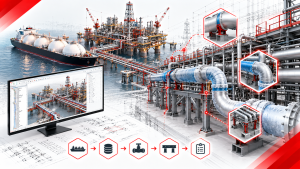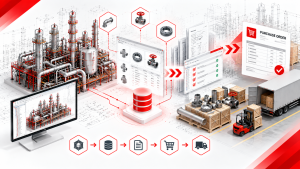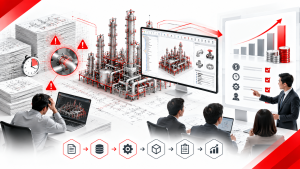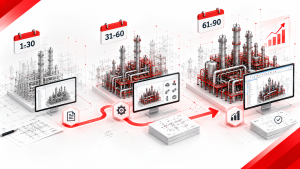


Are you struggling to choose between Octave Forte 3D (formerly Hexagon Smart 3D) and AVEVA E3D Design for your next EPC project — or trying to decide where to migrate your PDMS-based workflows after AVEVA ended PDMS support in April 2024? The choice between these two platforms is one of the most consequential infrastructure decisions an EPC firm can make. Get it wrong and you spend years fighting a tool that doesn’t fit your project type, your client requirements, or your engineering team’s skill base.
In this guide, Shinsei Vietnam’s engineering team — specialists in Forte 3D native automation — breaks down the real differences between Forte 3D and AVEVA E3D, explains the PDMS migration decision framework, and shows where native automation macros close the remaining efficiency gap regardless of which platform your organization runs on.
1. Quick Answer: Forte 3D vs AVEVA E3D at a Glance

For readers who need a fast orientation before diving deeper:
| Dimension | Octave Forte 3D | AVEVA E3D Design |
| Developer | Octave (formerly Intergraph) | AVEVA (Schneider Electric group) |
| Database engine | SQL Server / Oracle | DABACON (proprietary) |
| Architecture | Rule-based, spec-driven, SQL/Oracle | DABACON database, .NET UI layer |
| Primary strength | Large onshore EPC: refineries, petrochemical, LNG | Multi-discipline: process, marine, power |
| Geographic dominance | North America, large US-based EPC firms | Europe, Asia, Middle East, offshore |
| Isometric engine | Isogen® (PCF export) | Isodraft (native) or Isogen® (via PCF) |
| PDMS relationship | Competitor / migration target | Direct successor to PDMS |
| Cloud deployment | Available (Octave ecosystem) | AVEVA Connect cloud platform |
| Customization language | .NET API, VBA | PML (Programmable Macro Language), .NET API |
| Typical project fit | Large onshore refineries, petrochemical plants | Offshore, power, process plant, marine |
| Relative cost | Lower license cost than E3D | Higher license cost |
One-line summary: Forte 3D owns large onshore petrochemical and refinery projects in North America. AVEVA E3D dominates European, Asian, and Middle Eastern EPC firms, offshore platforms, and power generation — and is the mandatory migration path for all organizations still running PDMS.
2. What Is Octave Forte 3D (Smart 3D)? | Platform Overview and Core Architecture
Octave Forte 3D — commonly called Smart 3D (previously SmartPlant 3D / SP3D), and renamed from Hexagon Smart 3D in 2026 — is a rule-based, data-centric 3D plant design system developed by Intergraph, now part of Octave PPM. It is Octave’s flagship plant design platform, deployed on some of the largest oil and gas, petrochemical, LNG, and power generation projects in the world.
Core Architecture
Forte 3D is built on a SQL Server or Oracle relational database. Every piping component, equipment item, structural member, and instrument in the model carries not just 3D geometry but full engineering data: material grade, pipe schedule, design pressure, temperature, insulation specification, and procurement status. All of this data is stored in a shared project database accessible by all disciplines simultaneously.
This architecture means that Forte 3D is not simply a 3D CAD tool — it is a governed engineering data environment. Every design decision is recorded, every component relationship is maintained, and every downstream deliverable (isometrics, MTOs, orthographic drawings, reports) is extracted directly from the live model database.
Key Technical Characteristics
| Feature | Detail |
| Modeling approach | Specification-driven, rule-based piping design |
| Discipline coverage | Piping, structural, equipment, electrical, HVAC, instrumentation |
| Isometric generation | PCF export → Isogen® drawing engine |
| Clash detection | Built-in, database-native |
| MTO extraction | Direct from model database |
| Multi-site collaboration | Workshare model across distributed teams |
| Customization | .NET API, native add-ons (custom commands) |
| Version | Forte 3D version 14 (64-bit) as of 2025 |
What Forte 3D Is Designed For
Forte 3D’s rule-based architecture excels in environments where engineering specifications must be enforced rigorously across large, complex models. It is particularly strong for:
- Large onshore process plants (refineries, petrochemical complexes, LNG terminals)
- Projects with multiple engineering disciplines working concurrently on a shared model
- Organizations that require tight integration between 3D design and engineering data management systems (SmartPlant Foundation, SmartPlant Materials)
- Fixed-price EPC contracts where specification compliance and clash-free delivery are commercial requirements
[Internal link: “How Forte 3D’s SQL/Oracle Database Architecture Works — A Technical Deep Dive for BIM Managers”]
3. What Is AVEVA E3D? | Platform Overview and the PDMS Legacy
AVEVA E3D Design — formerly called AVEVA Everything3D — is the direct successor to AVEVA PDMS (Plant Design Management System), one of the most widely adopted 3D plant design platforms in EPC history. Developed by AVEVA (now part of the Schneider Electric group), E3D is the mandatory upgrade path for all PDMS users following PDMS’s end of support in April 2024.
The PDMS Legacy
PDMS was developed in the UK in the 1970s and became the dominant 3D plant design tool across European, Asian, and Middle Eastern EPC projects for decades. When Samsung Engineering, Hyundai Engineering, and Chiyoda Corporation built their 3D design capabilities in the 1990s and 2000s, many chose PDMS because their European partners and clients were already using it. By the time E3D was introduced, PDMS had over 1,500 customers working on more than 3,000 of the world’s most complex plant projects.
E3D was not a clean-sheet rewrite of PDMS. It was built on the same DABACON database engine, meaning engineers who spent years in PDMS recognize the data hierarchy, catalog structure, and design philosophy. What changed is the user interface (Microsoft Office Fluent ribbon bar replacing the older command-line approach), the underlying architecture (64-bit, .NET-based), and the performance characteristics when handling very large models.
Core Architecture
| Feature | Detail |
| Database engine | DABACON (AVEVA proprietary) |
| Modeling approach | Rule-based, catalog-driven piping design |
| Discipline coverage | Piping, structural, cable design, HVAC, equipment, marine |
| Isometric generation | Isodraft (native AVEVA engine) or Isogen® (via PCF export) |
| Clash detection | Built-in, highly regarded in the industry |
| Cloud deployment | AVEVA Connect (cloud licensing widely adopted; cloud-hosted sessions still maturing for large projects) |
| Customization | PML (Programmable Macro Language), .NET API |
| PDMS compatibility | E3D database is compatible with PDMS; Migration Toolkit available |
What E3D Is Designed For
E3D’s heritage and architecture make it particularly strong for:
- Offshore platforms and FPSO (Floating Production Storage and Offloading) design
- Power generation projects (thermal, nuclear, renewable)
- Marine and shipbuilding design
- Multi-discipline projects with large structural steel and cable routing components
- Organizations migrating from PDMS with minimal disruption to catalog and data structures
4. PDMS End of Support | What April 2024 Means for Your Organization
This section addresses what may be the most urgent decision facing PDMS-based EPC firms right now.
Official statement from AVEVA: “As of the 1st of April 2024, AVEVA PDMS is no longer sold nor supported by AVEVA. AVEVA PDMS will be replaced with AVEVA E3D Design, our class-leading 3D design tool.” (Source: AVEVA PDMS Official Page)
What “End of Support” Means in Practice
| Impact Area | Consequence of Remaining on PDMS |
| Security patches | No further security updates — increasing vulnerability over time |
| Bug fixes | Unresolved software bugs will not be patched |
| OS compatibility | As Windows and server OS versions advance, PDMS compatibility will degrade |
| New features | All R&D investment now directed exclusively to E3D |
| Vendor support | AVEVA technical support for PDMS issues is no longer available |
| New licenses | PDMS licenses can no longer be purchased |
The Migration Window Is Now
Organizations that delay PDMS migration face compounding risk: active projects running on unsupported software, growing incompatibility with updated operating systems and servers, and a widening skills gap as engineers trained on E3D (not PDMS) become the market norm.
AVEVA reports that customers migrating from PDMS to E3D have achieved engineering process improvements of 20–30% due to E3D’s modernized UI and workflow improvements. (Source: AVEVA — Preparing for the End of PDMS)
Migration Options: E3D or Forte 3D?

PDMS users facing migration have two realistic paths:
| Migration Path | Best For | Key Consideration |
| PDMS → AVEVA E3D | Organizations already in the AVEVA ecosystem; offshore, power, marine projects; European/Asian/Middle Eastern contractor base | Lowest disruption — same DABACON database, familiar catalog structure, AVEVA Migration Toolkit available |
| PDMS → Octave Forte 3D | Organizations whose clients or project pipeline is moving to Forte 3D; large onshore petrochemical/refinery projects; North American contractor alignment | Higher migration complexity — different database architecture, full catalog rebuild required — but may align better with long-term client requirements |
The full decision framework for this choice is covered in Section 7.
5. Forte 3D vs AVEVA E3D | Head-to-Head Technical Comparison

This section provides a detailed technical comparison across the dimensions that matter most for EPC project delivery.
Database Architecture
| Dimension | Forte 3D | AVEVA E3D |
| Engine | SQL Server / Oracle relational database | DABACON (AVEVA proprietary) |
| Data model | Relational tables — familiar to IT teams managing enterprise databases | Hierarchical object model — deeply integrated with the AVEVA catalog structure |
| Scale performance | Handles very large models (100,000+ components); mega-project proven | Handles millions of components; widely used on complex offshore and onshore mega-projects |
| Multi-site collaboration | Workshare model | AVEVA Global (distributed database model) |
| Cloud | Octave cloud hosting | AVEVA Connect (cloud licensing available; cloud-hosted sessions maturing) |
Piping Design and Specification Enforcement
Both platforms enforce piping specifications through rules-based design — this is the fundamental difference between enterprise-grade plant design tools and lower-tier CAD software. However, their approaches differ.
| Dimension | Forte 3D | AVEVA E3D |
| Specification enforcement | Active pipe class enforced in real-time during modeling | Spec-driven catalog selection; configurable integrity checking rules |
| Catalog structure | SQL-based catalog with company and project-specific data | Hierarchical DABACON catalog — familiar to PDMS users |
| Piping components | Placed according to active pipe class; deviations flagged | Placed from catalog with configurable rule checking |
| BOP/COP elevation control | Manual or macro-assisted | Manual or macro-assisted |
Isometric Drawing Generation
This is one of the most consequential differences for piping production teams.
| Dimension | Forte 3D | AVEVA E3D |
| Native isometric engine | None — exports PCF to Isogen® | Isodraft (AVEVA native) or Isogen® via PCF |
| Industry standard | Isogen is the global industry standard engine | Isogen is also widely preferred by EPC firms for output standardization |
| Post-extraction manual work | Significant — support attachment, control points, label alignment, scale setting all manual | Significant — similar post-extraction detailing workload |
| Automation opportunity | High — native macros can eliminate 91.8% of post-extraction detailing time | Moderate — fewer dedicated native automation tools available |
Clash Detection
| Dimension | Forte 3D | AVEVA E3D |
| Approach | Database-native clash detection within Forte 3D environment | Built-in clash detection; widely regarded as industry-leading |
| Cross-discipline | Piping vs structural, electrical, HVAC within shared database | Multi-discipline clash detection within DABACON database |
| Third-party integration | Navisworks, SmartPlant Review | Navisworks, AVEVA Clash Manager |
Customization and Automation
| Dimension | Forte 3D | AVEVA E3D |
| Scripting language | .NET API (C#, VB.NET) | PML (Programmable Macro Language) + .NET API |
| Native add-on support | Yes — custom commands deployable inside Forte 3D UI | Yes — PML macros and .NET customizations |
| Third-party automation ecosystem | Shinsei Vietnam 16-macro suite (native API) | Limited dedicated native automation vendors |
| Automation maturity | High — specialized native vendors exist | Moderate — primarily PML-based customization |
Learning Curve and Training
| Dimension | Forte 3D | AVEVA E3D |
| Interface | Microsoft Windows-standard UI; customizable workspace | Microsoft Office Fluent ribbon bar (since E3D introduction) |
| PDMS engineers transitioning | Significant retraining — different database paradigm, different catalog approach | Lower — same database philosophy, familiar hierarchy |
| New engineers | Moderate learning curve; structured Octave training available | Moderate learning curve; AVEVA Academy training available |
6. Geographic and Market Adoption | Which Platform Dominates Where

Understanding the geographic and historical adoption patterns of these two platforms is essential for making a practical platform decision — because client requirements, partner compatibility, and talent availability all follow these patterns.
| Region | Dominant Platform | Historical Reason |
| North America | Octave Forte 3D | Intergraph was a US-founded company; US EPC firms adopted early |
| Europe | AVEVA E3D / PDMS | PDMS was UK-developed; early adoption by British, Dutch, Scandinavian EPC firms |
| Middle East | AVEVA E3D / PDMS | European EPC partners brought PDMS on large Gulf projects in the 1990s–2000s |
| Asia (Korea, Japan) | Mixed — both platforms | Korean firms (Samsung, Hyundai, Daewoo) adopted PDMS via European JV partners; Japanese firms vary |
| Asia (India, Southeast Asia) | Both — project-dependent | Large project clients dictate platform choice |
| Offshore / Marine | AVEVA E3D | PDMS was the dominant offshore platform; E3D inherited that position |
| Onshore refinery / petrochemical | Forte 3D (large), both (mid-size) | Large US-based clients tend to mandate Forte 3D for major refinery projects |
The pattern is clear: American EPCs tend toward Octave Forte 3D, while European, Asian, and Middle Eastern contractors lean toward AVEVA. There are exceptions, and some companies maintain competency in both platforms to serve different clients. (Source: Projectmaterials.com)
Practical Implication for Platform Selection
Your client determines your platform. In most EPC project contracts, the owner-operator or lead contractor mandates which 3D design platform will be used. A Japanese EPC firm working primarily with European oil majors will use AVEVA. A US engineering contractor working on Gulf Coast LNG projects will use Forte 3D. Before evaluating platform features, determine your target client base and their platform requirements.
7. PDMS Migration Decision | E3D or Forte 3D?
With PDMS support officially ended as of April 2024, organizations still operating on PDMS must migrate. This section provides a structured framework for that decision.
Migration Complexity Comparison
| Factor | PDMS → AVEVA E3D | PDMS → Forte 3D |
| Database migration | Lower complexity — same DABACON engine; AVEVA Migration Toolkit available | High complexity — entirely different database architecture (SQL/Oracle vs DABACON) |
| Catalog migration | Lower — catalog structure is compatible; user templates migrate forward | High — full catalog rebuild in Forte 3D format required |
| Engineer retraining | Lower — familiar hierarchy, same design philosophy; new UI but same mental model | High — different platform paradigm, different catalog approach, different workflow |
| Drawing standard migration | Moderate — Isodraft vs Isogen configuration differences | Moderate — Isogen configuration required from scratch |
| IT infrastructure | AVEVA Connect or existing AVEVA server architecture | SQL Server or Oracle database infrastructure required |
| Migration timeline | Weeks to months (depending on project complexity) | Months to a year for full organization transition |
| Migration risk | Lower — AVEVA provides Migration Toolkit; well-documented process | Higher — requires careful planning; third-party migration specialists recommended |
When to Choose PDMS → AVEVA E3D
- Your current and future project pipeline is primarily offshore, marine, or power generation
- Your engineering team has years of PDMS experience — AVEVA continuity minimizes retraining cost
- Your clients and consortium partners are AVEVA-based
- Your organization is in Europe, Middle East, or Asia and your market predominantly uses AVEVA
- You want the lowest-risk, fastest migration path with minimal project disruption
When to Consider PDMS → Forte 3D
- Your target project pipeline is shifting toward large onshore refinery or petrochemical work
- Your key clients mandate Forte 3D on new projects
- Your organization is building competency for the North American EPC market
- You are forming a JV or consortium with Forte 3D-based partners
- You are willing to invest in a longer migration process to access the Forte 3D ecosystem and its automation toolchain
Shinsei Vietnam’s position: We specialize in Forte 3D native automation. If your organization has already committed to Forte 3D or is migrating toward it, our 16-macro suite can immediately address the post-extraction efficiency gap that exists on every Forte 3D project — regardless of whether you migrated from PDMS or were on Forte 3D originally.
[Internal link: “PDMS to Forte 3D Migration: What to Expect and How to Protect Your Catalog Data”]
8. The Automation Gap | What Neither Platform Solves Out-of-the-Box
Here is the critical insight that many platform comparison articles miss: regardless of whether you choose Forte 3D or AVEVA E3D, the post-extraction isometric detailing workflow remains heavily manual in both platforms’ standard configurations.
Both platforms can generate raw isometric drawings from the 3D model. Neither platform, in its default configuration, efficiently handles:
| Manual Workflow Stage | Forte 3D (Default) | AVEVA E3D (Default) |
| Support attachment to isometrics | Manual — per support position, one at a time | Manual — per support position, one at a time |
| Control point annotation | Manual — per drawing, 60 steps for 12 CPs | Manual — similar per-drawing effort |
| Label alignment and formatting | Manual — per drawing, engineer-by-engineer | Manual — per drawing, engineer-by-engineer |
| Drawing scale configuration | Manual — per drawing | Manual — per drawing |
| Batch processing across 100s of drawings | Not available natively | Not available natively |
This is the automation gap. On a 2,000-drawing EPC package, the manual post-extraction workflow consumes approximately 1,467 engineering hours — regardless of platform.
The platform decision determines your 3D modeling environment. The automation decision determines how efficiently you convert that 3D model into issued construction deliverables.
9. How Native Forte 3D Automation Closes the Efficiency Gap

For organizations running Forte 3D, Shinsei Vietnam’s native macro suite addresses the post-extraction automation gap directly. Because the macros are built on Forte 3D’s native .NET API — not on PCF/IFC export-import cycles — they operate inside the live project database with zero data translation risk.
Benchmark Results: Manual vs. Automated Post-Extraction Workflow
All figures from Shinsei Vietnam internal time-and-motion measurements on real Forte 3D project environments.
| Workflow Stage | Macro | Manual | Automated | Efficiency Gain |
| Support attachment (6 positions, multiple pipelines) | InputSupportAttach | 12.0 min / 30 steps | 0.5 min / 3 steps | 95.8% faster, 90% fewer steps |
| Control point detailing (12 CPs per drawing) | AddControlPointToSupport | 24.0 min / 60 steps | 1.0 min / 3 steps | 95.8% faster, 95% fewer steps |
| Label and title alignment (1 drawing) | AlignLabel | 3.0 min / 6 steps | 0.1 min / 2 steps | 96.6% faster, 66.6% fewer steps |
| Drawing scale configuration (1 drawing) | DwgSupportScale | 5.0 min / 7 steps | 2.0 min / 9 steps | 60.0% faster |
| Combined (all 4 stages) | — | 44.0 min / 103 steps | 3.6 min / 17 steps | 91.8% net time reduction |
Why Native Architecture Is Non-Negotiable
Generic automation tools and external scripts consistently fail in Forte 3D environments for three reasons that cannot be worked around:
- PCF/IFC export-import strips metadata — breaking parametric relationships and requiring hours of manual re-linking
- Memory overloads at mega-project scale — external tools crash when processing Forte 3D’s SQL/Oracle database without native API access
- Specification blindness — geometry-driven tools place components without reading the project’s active piping specification, causing QA/QC failures
Only tools built on Forte 3D’s native API can process the database directly and deliver specification-compliant output at scale.
Illustrative ROI: 2,000-Drawing Project
Assumptions: 2,000 drawings, all 4 macro stages applied, $80 USD/hour loaded engineering rate. Actual results vary by project scope, drawing volume, and labor rate.
| Scenario | Total Time | Total Cost |
| Manual workflow | ~1,467 hours | ~$117,360 |
| Shinsei automated | ~120 hours | ~$9,600 |
| Savings | ~1,347 hours | ~$107,760 (~92%) |
[Internal link: “Download Free — The Forte 3D ROI Report: Quantifying the Value of Native Automation”]
10. Decision Framework | Which Platform Is Right for Your Project?
Use the following framework to narrow your platform decision based on your organization’s specific situation.
Step 1: Determine Your Client Mandate
| Client Profile | Likely Platform Requirement |
| US-based owner-operator or major oil company | Forte 3D |
| European oil major or EPC firm | AVEVA E3D |
| Middle Eastern national oil company | AVEVA E3D (PDMS legacy) or Forte 3D (project-specific) |
| Korean/Japanese EPC | Both — varies by client and project |
| Offshore / marine project | AVEVA E3D |
| Onshore refinery / petrochemical (large) | Forte 3D |
| Power generation | AVEVA E3D |
Step 2: Assess Your Current Platform Position
| Current Situation | Recommended Path |
| Already on Forte 3D | Stay on Forte 3D; invest in native automation to close the post-extraction efficiency gap |
| On PDMS, primary market is offshore / European / Middle Eastern | Migrate to AVEVA E3D — lowest risk, same ecosystem |
| On PDMS, primary market is moving to US onshore or Forte 3D clients | Evaluate Forte 3D migration; engage migration specialists; plan 12+ months |
| On AVEVA E3D | Stay on E3D; evaluate AVEVA-native customization options |
| On AutoCAD Plant 3D | Consider upgrading to Forte 3D or E3D if project scale justifies the investment |
Step 3: Factor in Your Engineering Team’s Skill Base
| Team Profile | Implication |
| PDMS-experienced engineers | E3D transition is lower-cost; Forte 3D requires full retraining |
| Forte 3D-experienced team | Leverage existing expertise; avoid costly platform switch unless client-mandated |
| Mixed / new team | Both platforms have structured training programs; client mandate should drive selection |
Summary Decision Matrix
| Priority | Recommendation |
| Lowest migration risk from PDMS | AVEVA E3D |
| Large onshore refinery / US client alignment | Forte 3D |
| Offshore / marine / power generation | AVEVA E3D |
| Maximum post-extraction automation on Forte 3D | Forte 3D + Shinsei Vietnam macros |
| Fastest deployment from PDMS | AVEVA E3D |
11. References and Further Reading
Platform Documentation and Comparisons
- AVEVA E3D Design for Plant and Piping — Complete Technical Guide — Projectmaterials.com: Authoritative breakdown of E3D architecture, PDMS legacy, isometric generation via Isodraft and Isogen, and geographic market dynamics.
- Forte 3D (SP3D) Plant Design — Complete Technical Guide — Projectmaterials.com: Comprehensive reference on Forte 3D architecture, PCF/Isogen workflow, and EPC integration.
- Differences Between SP3D and E3D — What Is Piping: Detailed feature-by-feature comparison including database, UI, collaboration, and customization dimensions.
- Aveva E3D vs SP3D: Selecting the Ultimate 3D Design Software — ASTS Global: Practical comparison for EPC engineers evaluating platform selection.
- SP3D vs E3D vs CADWorx — Choosing Your Plant Design Powerhouse — Piping Technology & Products: Three-way comparison including CADWorx for mid-market context.
PDMS Migration Resources
- AVEVA PDMS Official End-of-Support Page — AVEVA: Official announcement of PDMS discontinuation as of April 1, 2024.
- AVEVA E3D Design Official Page — AVEVA: Product overview of E3D, including PDMS migration support and AVEVA Connect cloud deployment.
- Project Migration from AVEVA PDMS to E3D — Thomaz Consulting: Practical guidance on PDMS-to-E3D migration complexity, timeline, and risk factors.
- AVEVA — Preparing for the End of PDMS — AVEVA Webinar: Engineering improvement benchmarks for PDMS-to-E3D migration (20–30% process improvement reported).
Shinsei Vietnam Resources
- [Download Free: Eliminating Manual Bottlenecks in EPC Plant Design — The 2026 Guide to Forte 3D Automation]
- [Download Free: Manual Drafting vs. Native Automation — The Ultimate Guide to Automated Isometrics in Forte 3D]
- [Download: Shinsei Vietnam 16-Macro Solution Catalog] — Full capability overview of all 16 native Forte 3D macros
- [Book a Live Technical Demo] — See Shinsei macros run on your Forte 3D project data
12. FAQ
Q1. Is Forte 3D better than AVEVA E3D?
Neither platform is universally “better” — they serve different project types and organizational contexts. Forte 3D is generally stronger for large onshore refinery and petrochemical projects, particularly in North America where US-based EPC firms and owner-operators have historically mandated the Octave ecosystem. AVEVA E3D is generally stronger for offshore, marine, power generation, and European/Middle Eastern/Asian EPC organizations with a PDMS heritage. The right answer depends on your client base, geographic market, and project type — not on abstract feature comparisons.
Q2. My organization is still on PDMS. What should I do immediately?
PDMS support ended officially on April 1, 2024. If you are still running active projects on PDMS, you are operating on unsupported software with no security patches, no bug fixes, and degrading OS compatibility over time. The immediate step is to assess your migration path: if your project pipeline and client base is primarily AVEVA-aligned, migrate to E3D — the AVEVA Migration Toolkit and familiar DABACON architecture make this the lower-risk path. If your pipeline is moving toward Forte 3D-mandated clients, begin planning a more extensive migration with appropriate lead time.
Q3. Can PDMS data be migrated to Forte 3D directly?
There is no direct, automated PDMS-to-Forte 3D migration path equivalent to the AVEVA Migration Toolkit. PDMS databases use the DABACON engine while Forte 3D uses SQL/Oracle — these are fundamentally different architectures. Migration requires translating model data, rebuilding catalogs in Forte 3D format, and retraining engineers. This is achievable, but it is a significant undertaking that typically requires 6–12+ months for a full organizational transition and involvement of specialists familiar with both platforms. Octave’s Smart Interop Publisher and third-party migration tools can assist with model geometry transfer, but piping specifications and catalog data typically require manual reconstruction.
Q4. Does AVEVA E3D use Isogen for isometric generation?
E3D has its own native isometric drawing generator called Isodraft. However, many EPC companies prefer Isogen because of its mature output formatting, widespread industry acceptance, and PCF format’s role as an industry standard for exchanging piping data between systems. E3D supports Isogen integration — piping data can be exported via PCF and processed by Isogen in the same way as Forte 3D. The choice between Isodraft and Isogen in an E3D environment is typically driven by client drawing standard requirements and company preference.
Q5. What is the main difference between Forte 3D and AVEVA E3D in terms of database architecture?
Forte 3D uses a relational SQL Server or Oracle database — a standard enterprise database architecture familiar to most IT infrastructure teams. AVEVA E3D uses DABACON, AVEVA’s proprietary hierarchical database engine that underpins the entire PDMS/E3D product line. Both approaches are production-proven at mega-project scale. The practical difference matters most during IT setup, server architecture design, and migration planning: SQL/Oracle expertise is more widely available in general IT, while DABACON requires AVEVA-specific database administration knowledge. For engineers working in the design environment, the database architecture is largely invisible — what they experience is the modeling interface and workflow.
Q6. If we are on Forte 3D, how do we close the post-extraction isometric workflow efficiency gap?
The post-extraction workflow — support attachment, control point detailing, label alignment, drawing scale configuration — is heavily manual in Forte 3D’s default configuration and typically consumes 44 minutes per drawing package across 103 operation steps. The only architecture that addresses this effectively is native Forte 3D automation built on the platform’s .NET API. Generic plugins and external scripts consistently fail at mega-project scale due to PCF/IFC export-import metadata loss, memory crashes, and specification blindness. Shinsei Vietnam’s 16-macro suite, built exclusively on Forte 3D’s native API, reduces this 44-minute workflow to 3.6 minutes — a 91.8% net time reduction — with zero data translation risk.
Q7. Can Shinsei Vietnam macros work on AVEVA E3D projects?
No. Shinsei Vietnam’s macro suite is built exclusively for Octave Forte 3D using Forte 3D’s native .NET API. The macros operate directly on the Forte 3D project database and cannot access AVEVA E3D’s DABACON database architecture. If your organization is on AVEVA E3D, Shinsei Vietnam’s current automation offering does not apply. Our automation tools are specifically for Forte 3D environments — which is why the platform decision matters: choosing Forte 3D gives you access to the native automation ecosystem that E3D does not currently have equivalent coverage for.
Q8. We are a mid-sized EPC firm considering our first enterprise 3D plant design platform. Forte 3D or E3D?
For a first-time enterprise platform adoption, the most important factor is your client base. Identify which platform your target clients mandate or prefer — then match that. If you are targeting Middle Eastern or European oil and gas clients, AVEVA E3D is the safer choice. If you are targeting US-based refinery or petrochemical clients, Forte 3D aligns better. Secondary factors: if your team has no prior PDMS experience, both platforms require significant training investment and the learning curves are roughly comparable for new users. If budget is a primary constraint, Forte 3D carries a lower license cost than E3D. If you want faster deployment and cloud-first setup, AVEVA Connect can deploy E3D in days or weeks versus the more intensive SQL/Oracle server infrastructure setup required for Forte 3D.
Shinsei Vietnam is a specialist Forte 3D automation partner, part of Tatsusei Giken. Our 16-macro suite is built exclusively for Octave Forte 3D using native API integration. We serve EPC firms globally on oil and gas, petrochemical, LNG, and industrial plant projects.