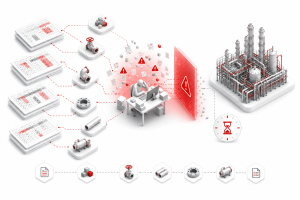




A purchase order is only as accurate as the data behind it. In an Octave Forte 3D (formerly Hexagon Smart 3D) project, that data travels a long chain: the catalog defines each component, the 3D model places it, the isometric extracts it, the material take-off totals it, and the procurement team orders from it. Every link in that chain can introduce an error that looks normal until a delivery arrives short, wrong, or late.
This article follows that chain from model to purchase order. It shows where errors enter silently, why they reach procurement without a visible warning, and how structural controls in the data workflow protect the budget. It is written for procurement managers, BIM Managers, and the catalog engineers who sit between them.
1. The Chain That Ends in a Purchase Order
Procurement rarely sees the 3D model. It sees a material take-off, a list of quantities and specifications, and a purchase requisition built from them. That list is the output of a long sequence of engineering decisions made much earlier.
In an Octave Forte 3D project, the chain runs roughly like this:
| Link | What Happens | Who Owns It |
| Catalog | Each component’s dimensions, material, and attributes are defined in the five-layer catalog | Catalog engineer |
| 3D model | Components are placed and attributed according to the active piping specification | Piping designers |
| Isometric | Isometrics are extracted and detailed, including support attachment | Piping designers and drafters |
| MTO | Quantities and specifications are totaled from the attributed model | BIM Manager or estimator |
| Requisition | The MTO is converted into purchase requisitions | Procurement |
| Order | Requisitions become purchase orders to vendors | Procurement |
A problem in any link becomes a problem in the order, because each link inherits the one before it. The procurement team is the last to see the data and the least able to check it against the model.
[Internal link: “Catalog & Specification Management for Forte 3D — A Deep-Dive Technical Guide”] The catalog is the first link in the chain and the one where the most consequential errors begin.
2. Why MTO Accuracy Improves Through the Design Stages
A material take-off is not accurate on day one. It becomes accurate as the design matures. Industry practice generally describes this progression: an early MTO is built from rough quantities and is refined as the engineering matures, with detailed-engineering MTOs derived from approved isometrics reaching around 90 to 95 percent accuracy (PathNovo, MTO in EPC).
This matters for procurement planning in two ways:
- Early orders carry more uncertainty. Long-lead items are often ordered before the MTO is fully stable, so the procurement team is buying against a quantity that is still moving.
- The final MTO is only as good as the isometrics behind it. If isometrics contain errors, the take-off built from them inherits those errors at the same confidence level as correct data.
The second point is the one most procurement teams do not see. The MTO looks precise, because it is a number to the unit. The precision of the number says nothing about the accuracy of the source.
3. Where Procurement Errors Enter the Chain
Errors entering the chain fall into three groups. Each one looks normal in the output.
Specification errors. A component is attributed to the wrong material grade, pressure class, or end preparation. The model shows a valid component, so nothing looks wrong in the 3D view. The error appears only in the MTO line, where the grade or class is wrong.
Quantity errors. A component or support is missing from the isometric, or counted twice, or attached to the wrong pipeline. The isometric still looks complete, because nothing signals an absent item.
Attribute propagation errors. A bulk change, such as a revised insulation code or a design temperature, is applied to most of a pipeline set but not all of it. The model looks updated, because the majority of the lines changed correctly.
In each case the error is partial. That is what makes it dangerous: it is never the whole list that is wrong, only a few lines within it.
4. Four Errors That Reach the Purchase Order
Four error types account for most procurement-level data problems in a Forte 3D chain. Each one maps to a specific manual step in the workflow.
| Error | Where It Starts | How It Reaches the Order | Manual Step Responsible |
| Wrong material grade on a component | Catalog record passes bulkload validation but does not match the vendor specification | Wrong grade appears on the MTO line and the purchase order | Cross-workbook catalog entry across five layers |
| Missing support hardware | An isometric support position is skipped during attachment | Support quantities are short on the requisition | Pipeline-by-pipeline support attachment |
| Wrong pressure class on flanges or fittings | A specification record is inconsistent with the component record | Flange class on the order does not match the line | Manual spec-to-catalog cross-check |
| Partial attribute update | One line in a bulk change keeps the old insulation or temperature code | Insulation or service data on the order is out of date for that line | One-by-one attribute editing |
The common thread is that each error starts at a manual step, and each is invisible at the step where it is made.
[Internal link: “The Real Cost of ‘Almost Right’ in Octave Forte 3D”] The same invisible-error pattern, traced from creation to discovery.
5. What a Wrong Order Costs After It Is Placed
Once an order is placed, a data error stops being a documentation problem and becomes a commercial one. The cost depends on when it is found:
| Stage Where the Error Is Found | Typical Consequence |
| Before the order is placed | A corrected requisition. Minimal cost |
| After vendor confirmation | Amended order, possible vendor fees |
| At delivery | Rejected or returned material, expedited replacement, possible price premium |
| At fabrication or installation | Spool or support rework, schedule delay, and the cost multiplier described in the QA/QC literature |
Industry rework guidance commonly describes correction costs rising sharply as errors move downstream. The earlier the data is checked, the cheaper the correction. That is the basis for putting checks into the data workflow rather than relying on a receiving inspection to catch problems.
6. Structural Controls That Protect the Chain
Checking the output at the end is a detection control. Protecting the chain requires controls that act at each link. The most effective controls remove the manual step that creates the error:
| Link | Control | Effect on the Error |
| Catalog | Five-layer consistency enforced at data entry, using the Catalogue & Specification macro | Mismatched records are flagged before the catalog loads, not after an order uses them |
| Support attachment | Batch attachment with InputSupportAttach | All support positions are processed as one set, so a skipped item is not structurally possible in the batch |
| Attribute updates | Excel-based bulk editing with SetPipeLineProperties | The complete list of affected pipelines is visible before the change is applied |
| Drawing output | Rule-based labels and scales through AlignLabel and DwgSupportScale | Consistent isometric output reduces the chance of a misread quantity |
The principle is the same at each link: a rule or a complete batch replaces an individual judgment made under repetition.
[Internal link: “The Octave Forte 3D QA/QC Prevention Report”] The seven drawing errors and their structural fixes, in full.
7. A Pre-Order Checklist for Procurement and BIM
Use this checklist before releasing a requisition built from a Forte 3D model.
Catalog and specification
- [ ] Each material grade and pressure class on the MTO matches the approved specification
- [ ] Catalog records used in this package have passed a five-layer consistency check
- [ ] Recent catalog revisions are reflected in the MTO
Model and isometrics
- [ ] Support counts in the model match the support positions on the isometrics for a sample package
- [ ] Bulk attribute changes in the current revision were applied to the full pipeline set
- [ ] Isometrics used for the MTO are the approved issue, not a working draft
MTO and requisition
- [ ] Quantities are totaled from approved isometrics, not from the working model
- [ ] Long-lead items are identified and their quantities are marked as provisional where the design is still moving
- [ ] Any mismatch between the MTO and the previous issue is explained before release
8. References and Further Reading
MTO Accuracy and Procurement Practice
- MTO (Material Take-Off) in EPC: How to Quantify from Isometrics — PathNovo: Describes how MTO accuracy improves through design stages, with detailed-engineering MTOs derived from approved isometrics reaching about 90 to 95 percent accuracy.
Rework and Error Cost Context
- Cost of Rework in Construction: Causes, Data and Prevention (2025) — PlanRadar: Industry consolidation of rework causes and cost ranges.
9. FAQ
Q1. Is the MTO a BIM Manager’s responsibility or procurement’s? It sits between them, and that is the problem. The best practice is to agree on a single owner for the MTO release and a defined set of checks before each release.
Q2. Can we order long-lead items before the MTO is final? Yes, but mark those quantities as provisional, and track the revisions. Ordering against an unstable quantity is a business decision; the risk should be known to the people making it.
Q3. Does automation remove the need for a receiving inspection? No. Receiving inspection is a necessary control. Automation reduces the number of errors that reach it, so the inspection checks a more consistent input.
Q4. Which error should we fix first? Start with the errors that reach the order and are costly to correct after delivery: wrong material grade and missing support hardware. These map directly to the catalog and support-attachment steps.
Q5. How do we know whether our current MTO is reliable? Sample one package. Compare the MTO line by line with the approved isometrics, then with the last procurement issue. Note every mismatch and classify it by cause. The pattern usually points to the link that needs control first.
Shinsei Vietnam is a specialist Octave Forte 3D automation partner, part of Tatsusei Giken. Our 16-macro suite is built exclusively for Octave Forte 3D (formerly Hexagon Smart 3D) using native API integration. We serve EPC firms globally on oil and gas, petrochemical, LNG, and industrial plant projects.